Bridging north
what's the problem?
IMAGINE...
You’re 18. You are starting your first year of college, and you just stepped off a plane in a country on the other side of the world. You have so many questions. How do I get a bank account? Why are phone plans so expensive? Why are all the buses late?
You go on Google, and it’s filled with random blogs, articles, and ads, all saying different things. You’re overwhelmed and scared. You think to yourself, “I wish there was some sort of resource that would answer all my questions.” Or, “I wish someone more experienced could help me.”
goal
Many students struggle with the less obvious parts of settling in: finding community, managing life tasks, navigating the day-to-day questions. The resources that exist currently are often fragmented, hard to comprehend, or focused more on families with kids and long-term immigrants. As a result, young newcomers feel overwhelmed, isolated and unsure. This project aims to respond to this problem by designing a platform that supports both the practical and emotional aspects of immigration and starting a new life in Canada.
OBJECTIVE
To design a mobile app that helps new student immigrants to settle into Canada by:
- Providing a clear, accessible and comprehensive guide covering essential topics
- A safe, supportive community for connection, mentorship and support
WHo is the product for?
primary target audience
- New Canadian immigrants
- International students
- Young people (18-22 years old)
- College and university students
- Male and female
- All educational institutions
- All cultural backgrounds
- Toronto residents
Secondary target audience
- More seasoned immigrants — international students
- Canadians willing to provide support and mentorship
user persona
Amina, 19 years old
- First-year university student
- Recently moved to Toronto from Pakistan to pursue an undergraduate degree in Health Sciences
- Curious, excited + anxious and overwhelmed
- Needs to navigate the day-to-day questions like banking, credit scores, weather, and small talk and needs an easy and approachable resource with that information
- Doesn’t have many friends yet nor a support system, moved to Canada alone
- Relies on her phone to search for information, looks up Reddit, Instagram, signs up for forums and Whatsapp groups
- Motivated by the desire to succeed academically and to settle in to Canada and build a life here
- Doesn’t want to feel like a temporary outsider

how can i help them best?
Research questions
- What information do new immigrants struggle to find and understand?
- What are the most challenging aspects of settling in?
- Which systems feel the most confusing to navigate?
- How do students currently seek help and community?
- Which aspect of settling in is more important, navigating systems or finding community?
Target participants
- New international students (arrived within the last three years)
- Aim to cover both college and university students
- All genders
- Ages 18-22
Sampling
Convenience sampling, snowball sampling
Research methods
Survey + Interviews
survey
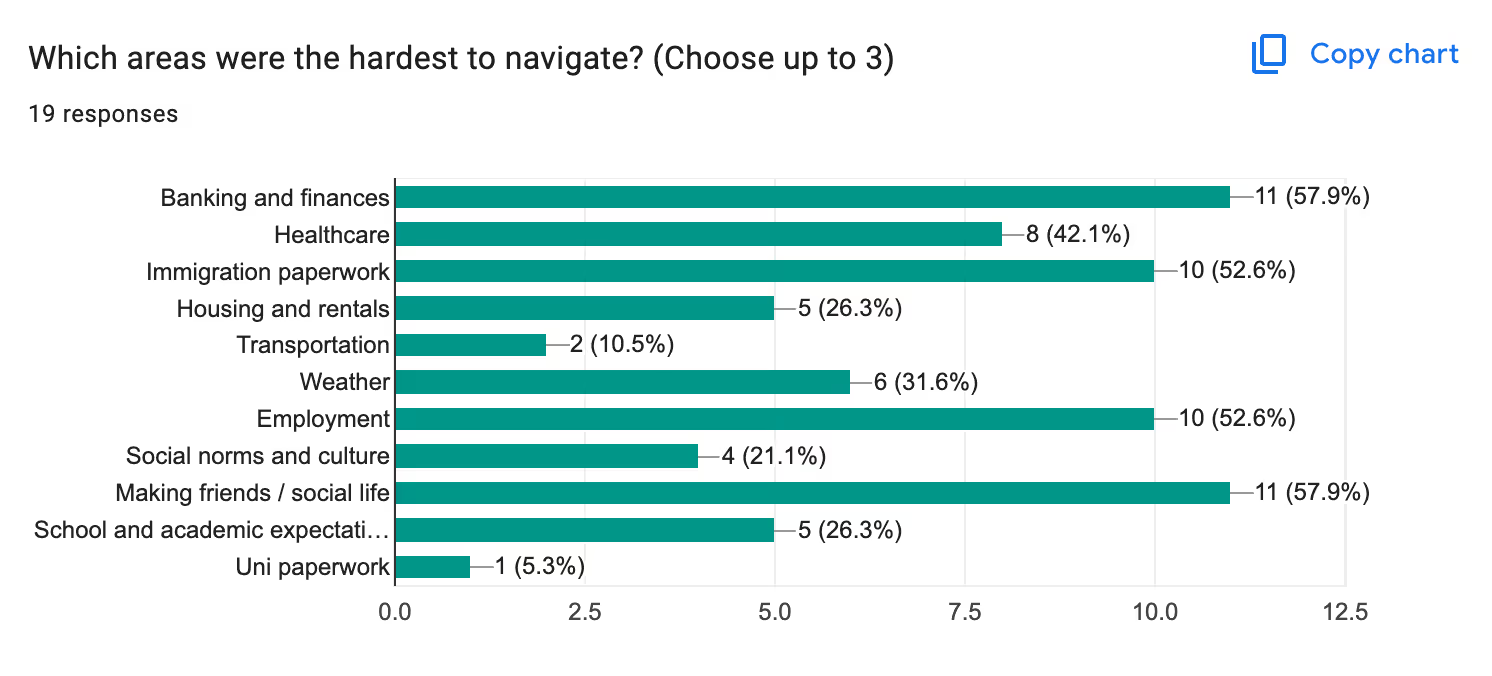
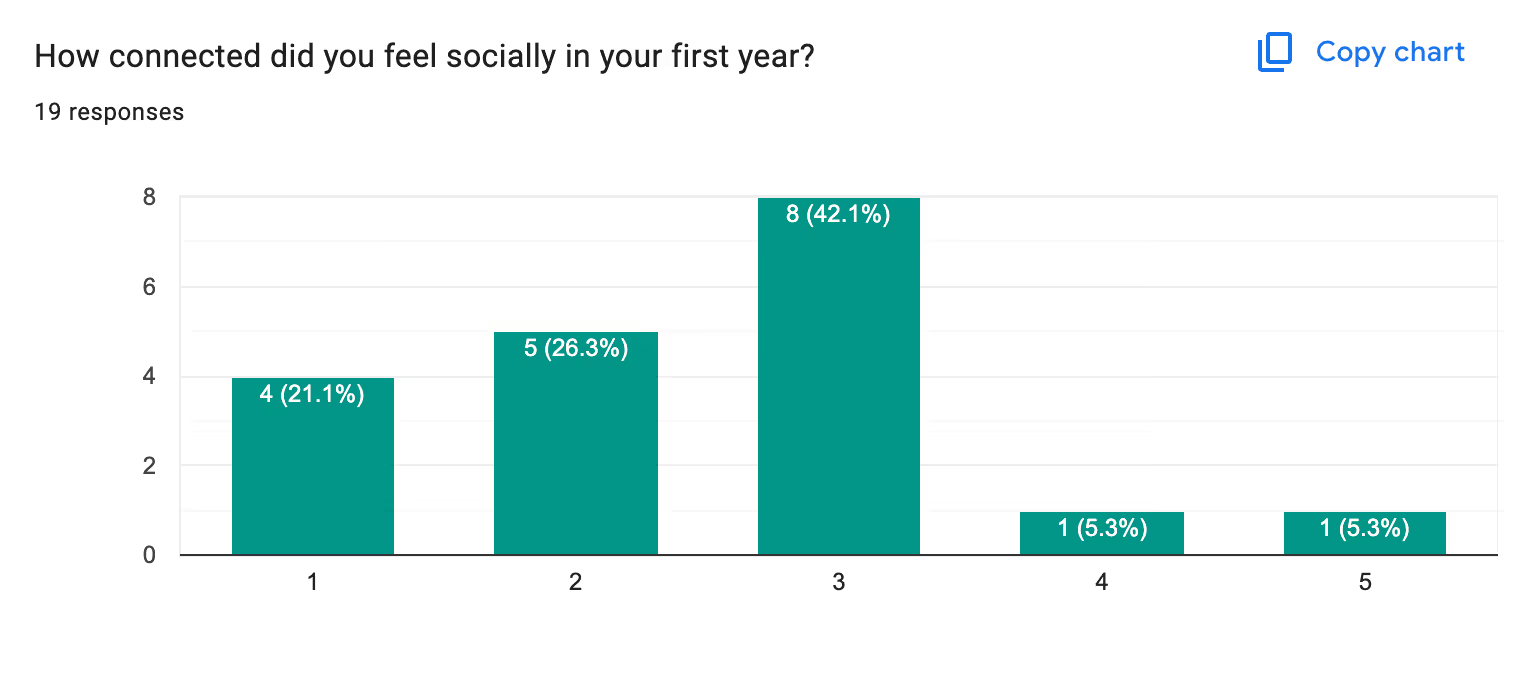
Conducted an in-depth Google survey, covering college and university students of different ages and different levels of experience. Link to data.


interviews
Conducted 2 in-depth interviews with international students within the target audience, college and university. Link to scripts.
data analysis
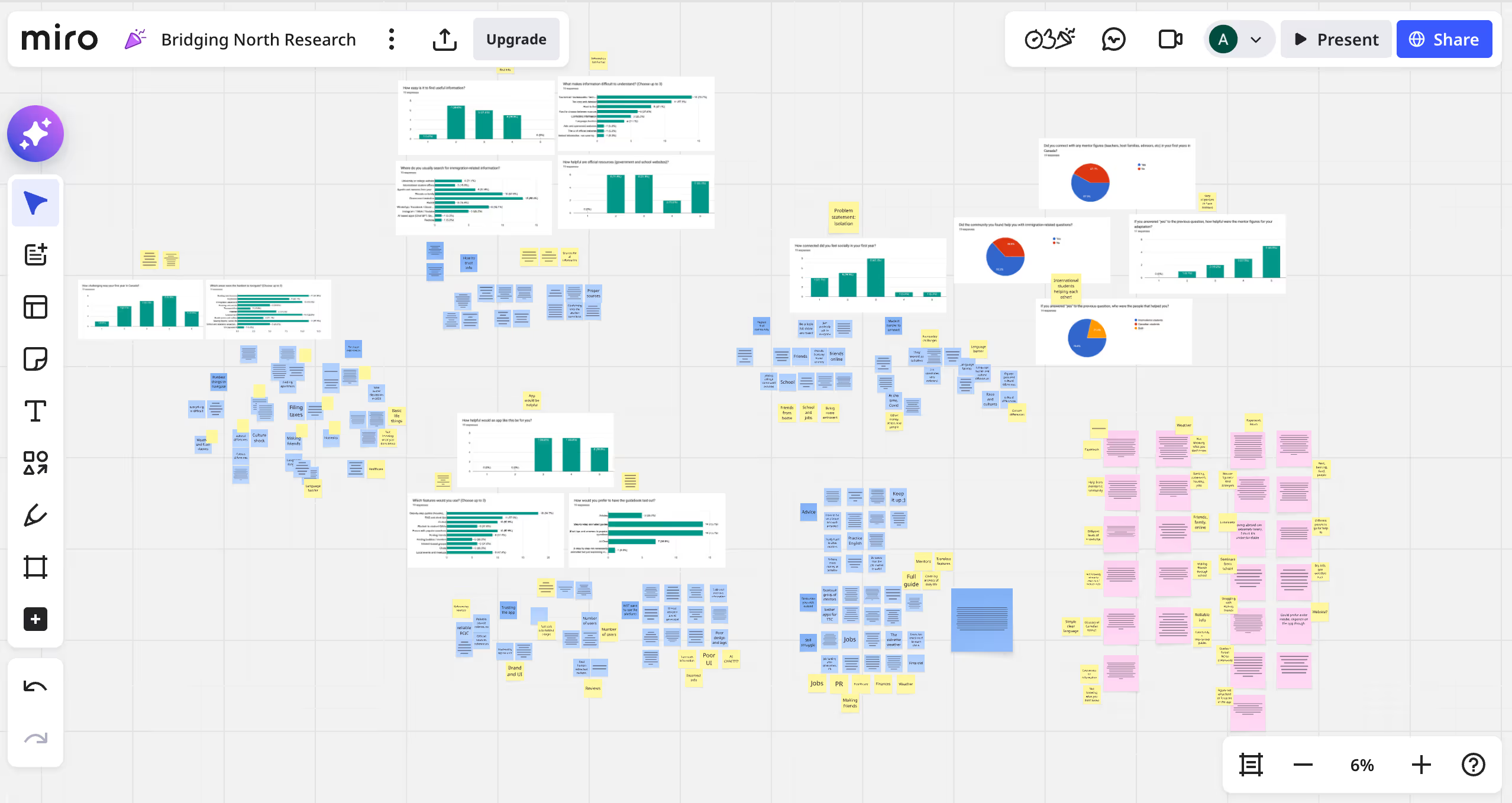
Used Affinity Mapping to consolidate all the findings and find patterns. Link to the Miro Board.
findings & insights
Main takeaway: Focus on the daily life aspects: weather, activities, local food, grocery shopping, public transit, social norms, academic life tips. Quoting one participant: "A lot of resources focus on visa and PR but not many focus on actually living here."
quotes
"the process of immigration is such a information-heavy, overwhelming experience that I didn't think that once I was done with that part, I would struggle with the basics of life in Canada. Things like grocery shopping or clothes shopping, as well as winter preparation, were all things I had no idea about."
"having people who know life here showing you around helps a ton! Being open about not knowing what things are or how to do something too mostly led to settled friends or canadian friends to just explain things to me and I would get it."
what's the strategy?
swot analysis
Strengths
- All-in-one resource providing a very convenient solution
- Addressing both sides of the same issue
- Encouraging sharing info and support between users not relying on institutions
Weaknesses
- Trust and credibility questions – users might be hesitant to trust a new platform
- Need for moderation
- Need for content updates and maintenance
Opportunities
- Partnerships with colleges, universities and other companies
- Scalability to different cities and target audiences
- Improvements based on user data
Threats
- Creeps
- Competition from informal resources
- Privacy and safety concerns
- Risk of misinformation and misrepresentation
- Competition from college and uni
messaging
Immigration to Canada can be scary, confusing and complicated, but it doesn’t have to be. Bridging North is made to help you, answer any questions you might have, and provide you with the support you need. Build your bridge to the North – one step at a time.
Tagline
One step at a time.
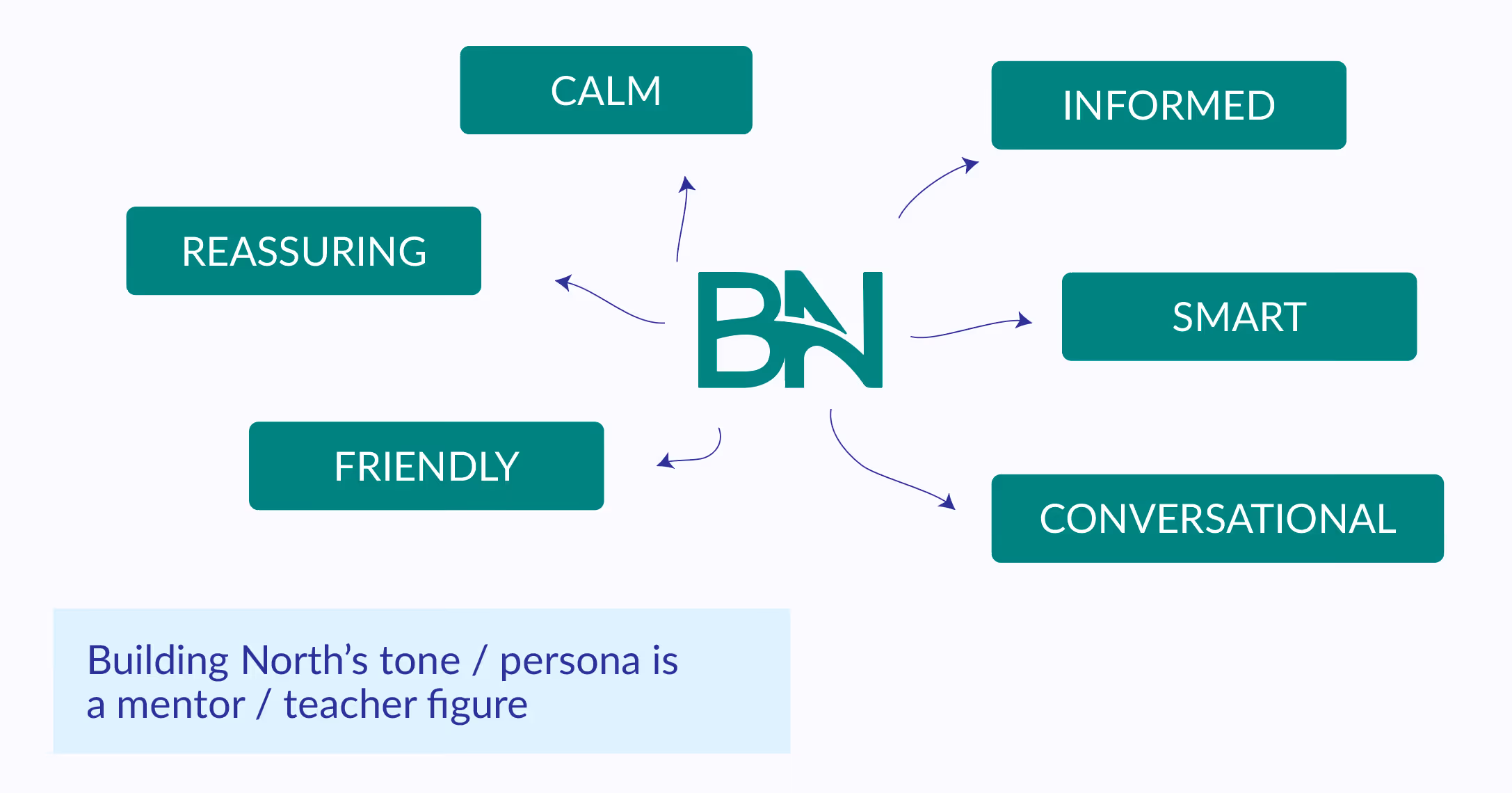
Tone & Voice
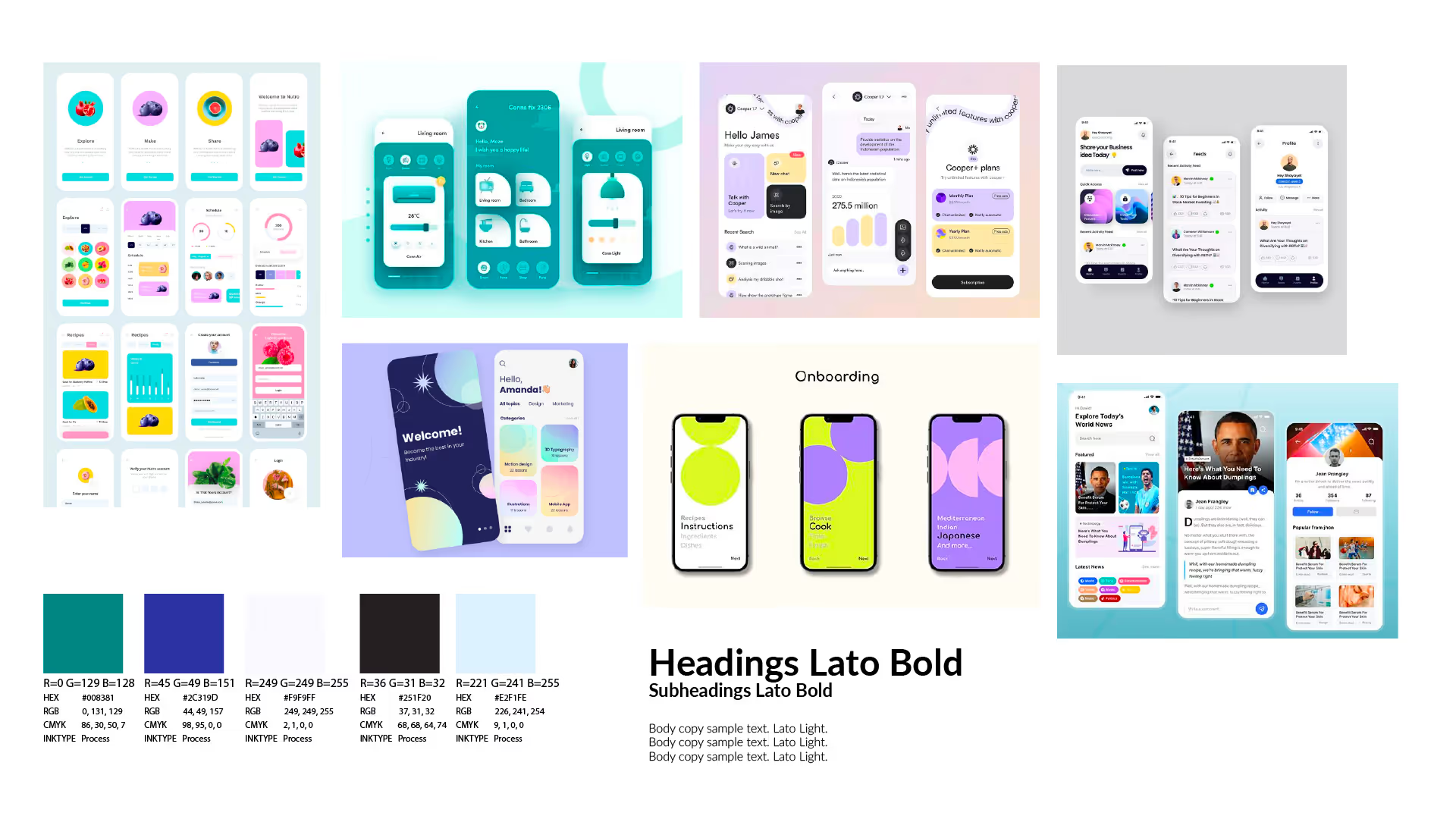
Moodboard
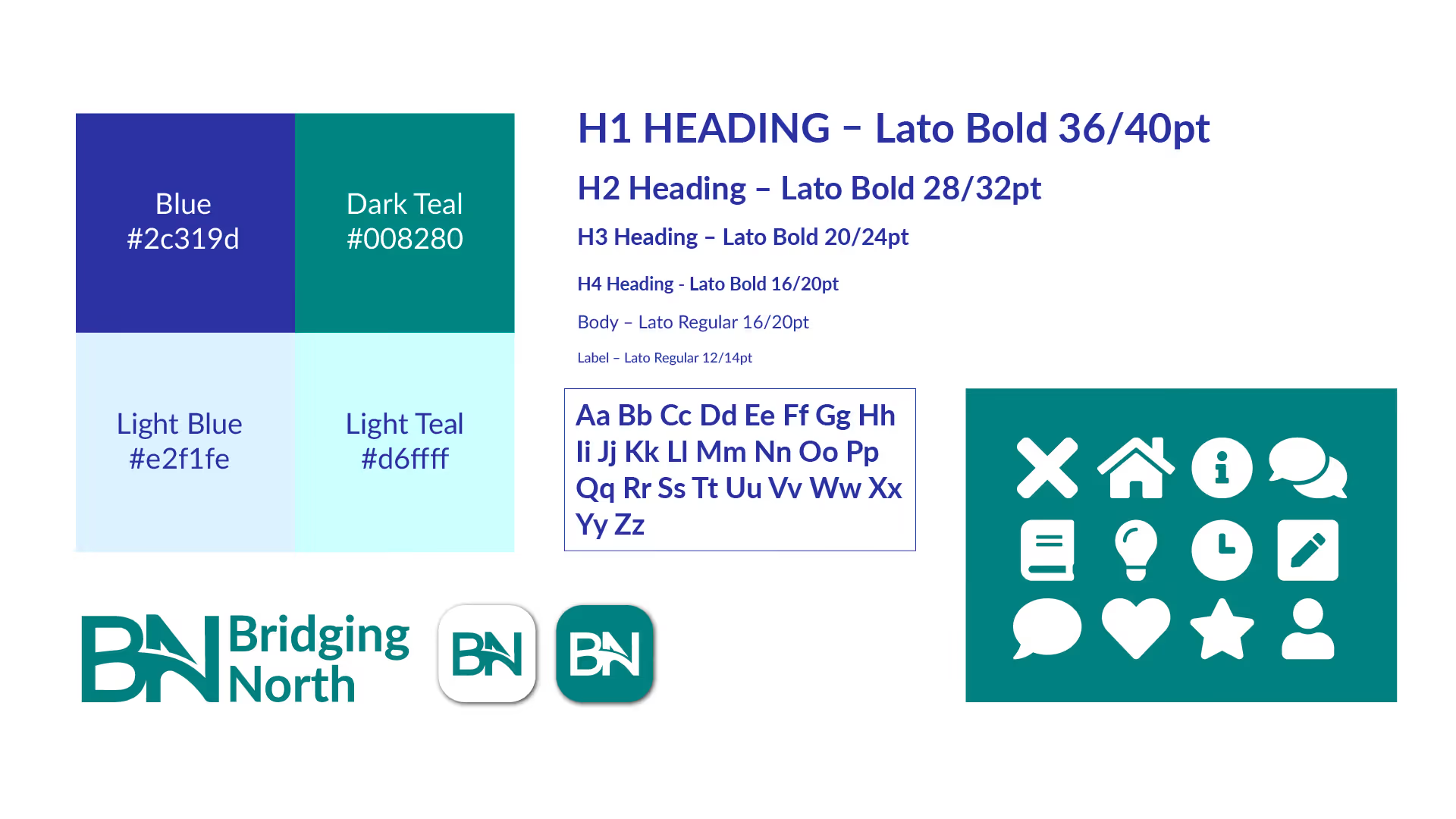
style guide
building the app
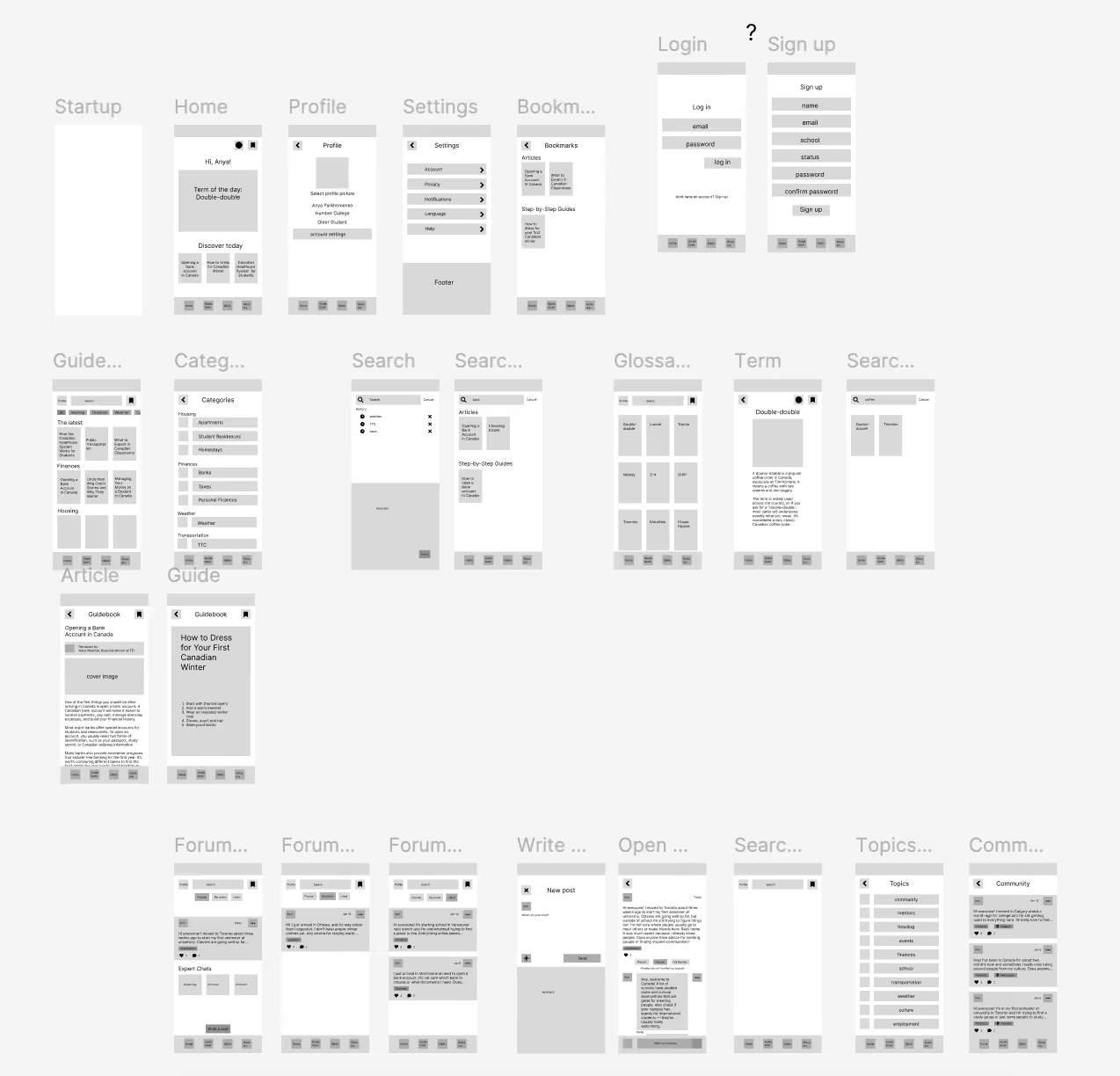
low-fi wireframes
user testing Insights
- Add running filters to Guidebook and Forum
- Condense the user journey, remove log in and sign up
- Keep the main nav consistent
- Filtering / tagging system
- Bookmark in the bottom of articles
- Add sorting
bridging north live
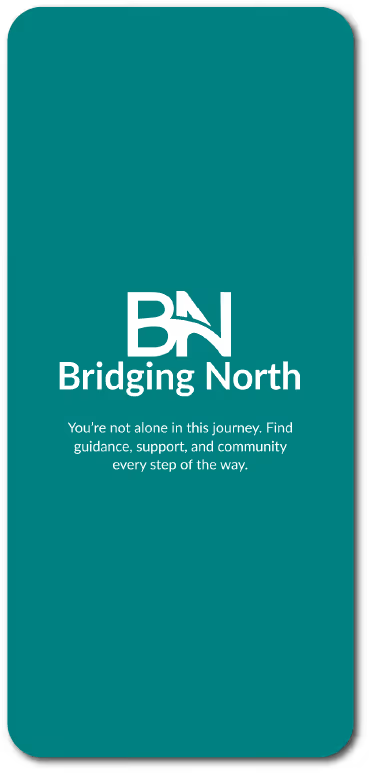
Startup
Featuring the app logo and an introduction message.
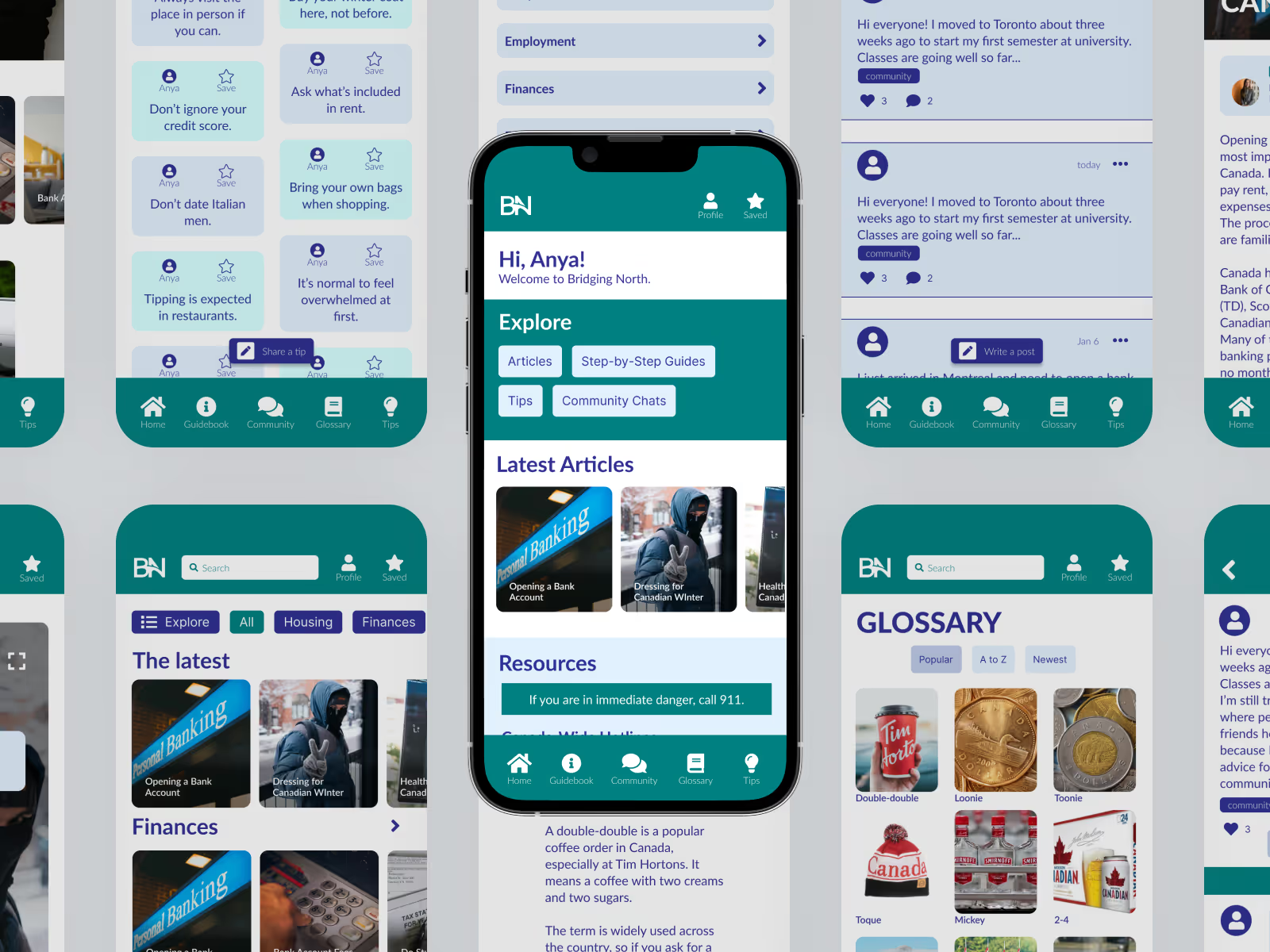
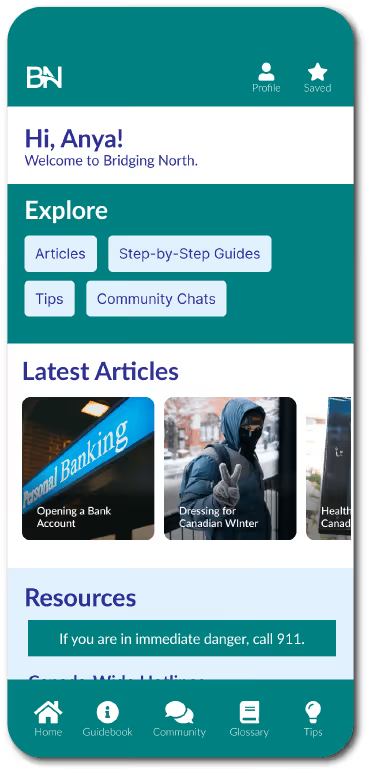
Home Page
Featuring a welcome message, Explore section, latest articles highlight, and quickly accessible list of important resources.
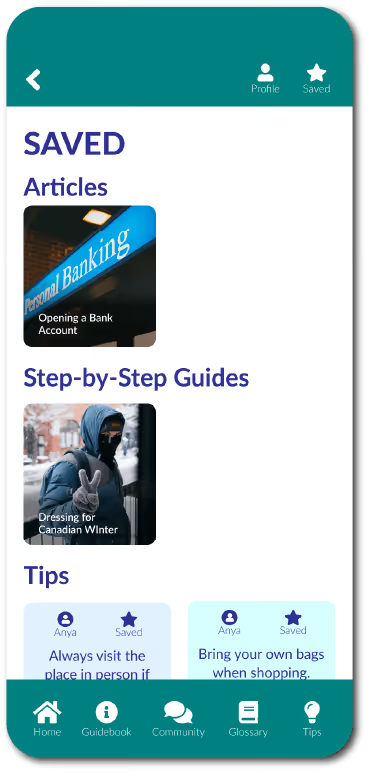
Saved
Featuring a collection of saved articles, step-by-step guides, tips and glossary terms.
guidebook
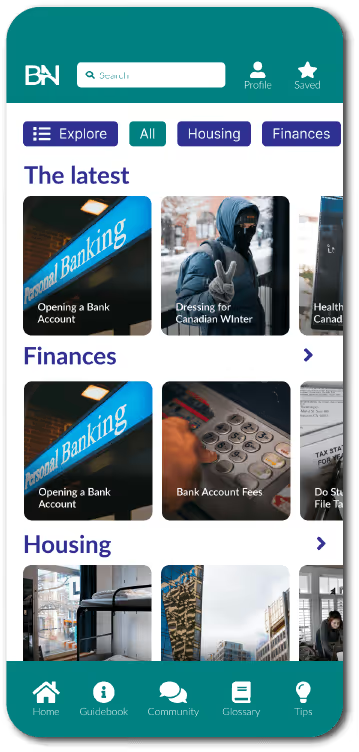
Guidebook Home Page
Featuring a scrollable list of articles separated by categories and a running nav filter system.
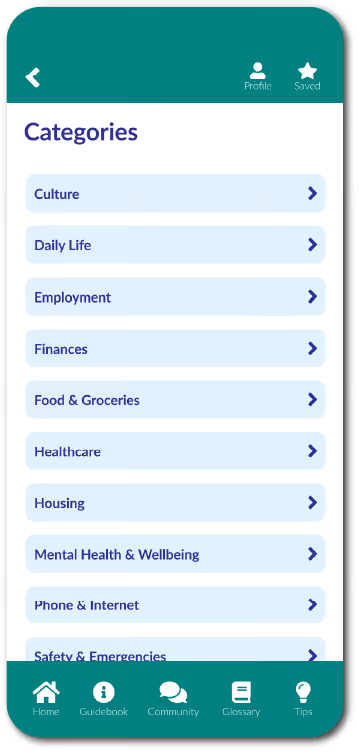
Guidebook Categories
Featuring a list all Guidebook categories.
Category Page
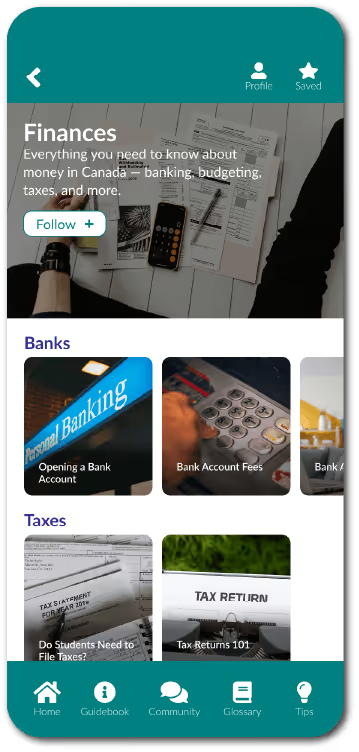
Featuring a scrollable list of articles separated into sub-categories and an opportunity to follow a category (be notified of new articles coming out).
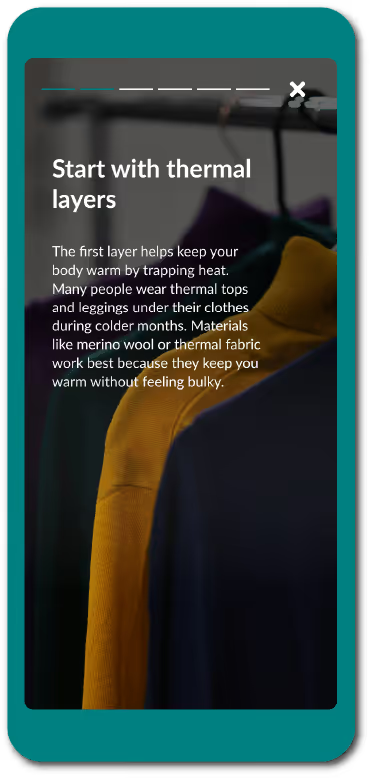
Step-by-Step Guide
Featuring a layout inspired by Instagram stories, designed for quickly accessible, easily readable information.
Article
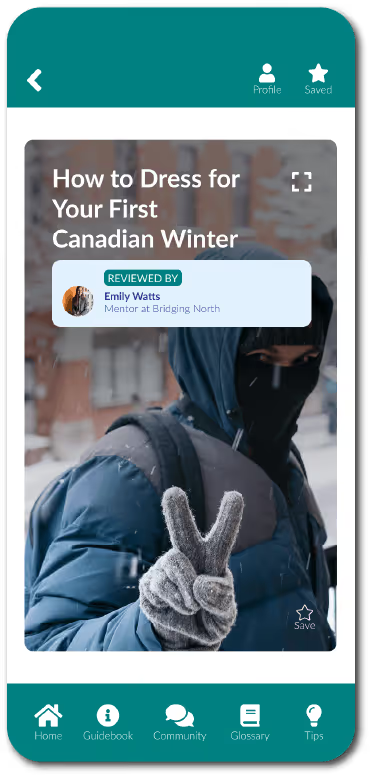
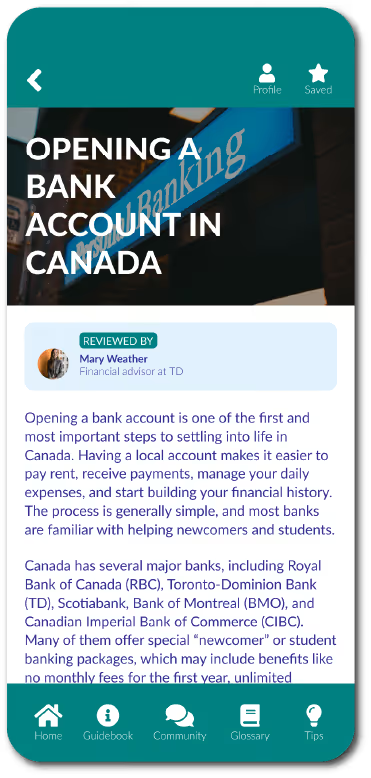
Featuring a longer read, with a "Review by" badge at the top and resources listed at the bottom for credibility.
community
Community Page
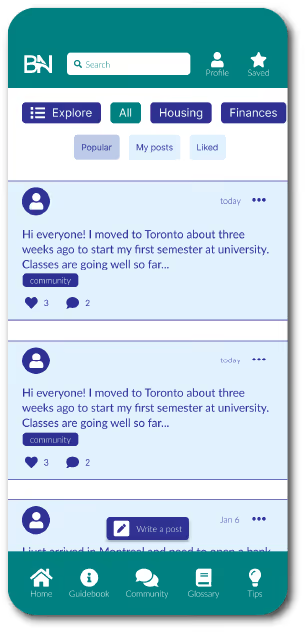
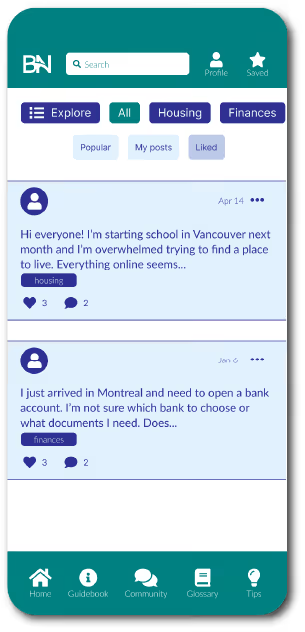
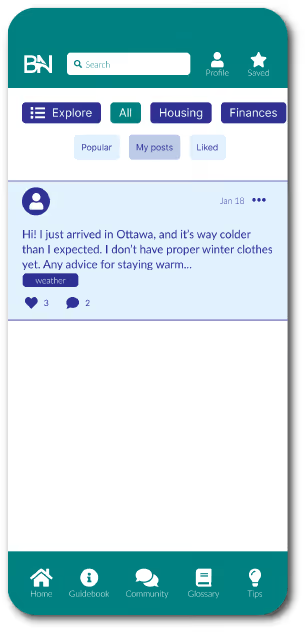
Featuring a forum-like layout with post previews that can be expanded to a separate page. Includes a running filter system by topics, and a secondary navigation for Popular, Personal, and Liked posts. Every post is tagged with a topic and can be liked/commented on.
New Post
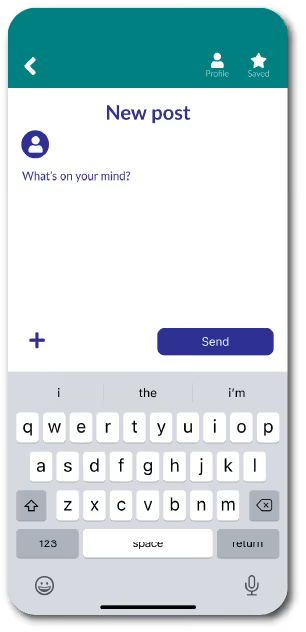
Featuring an opportunity to type a post and include pictures if needed.
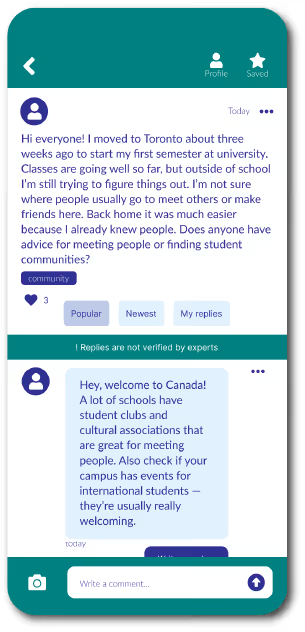
Post
Featuring the full text of a post and replies to it, including an opportunity to add your own reply, a sorting system for replies, and a button to flag the post for moderators.
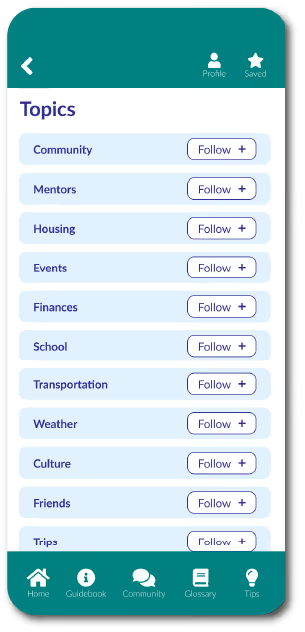
Community Topics
Featuring a list of community topics (different than Guidebook categories) and an opportunity to follow them to receive updates.
glossary, Tips & search
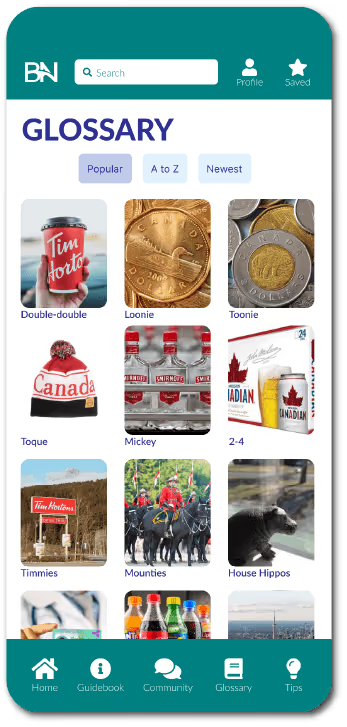
Glossary Page
Featuring a bento-grid layout of Canadian terms (list of terms to include was finalized with the help of my research) and a sorting system at the top.
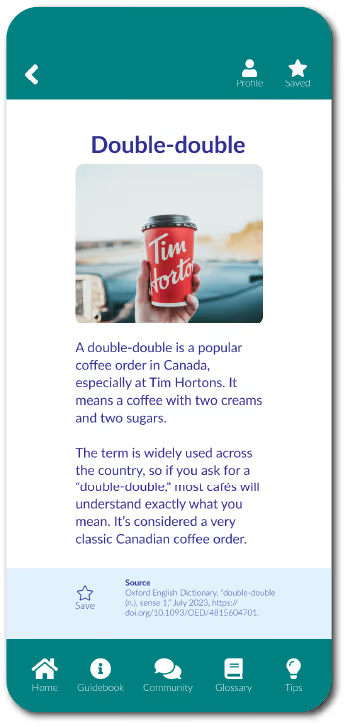
Glossary Term
Featuring an image, short term explanation, and sources at the bottom.
Tips Page
Featuring a bento-grid layout of short community-submitted tips. Real advice from real people, moderated by the app's management.
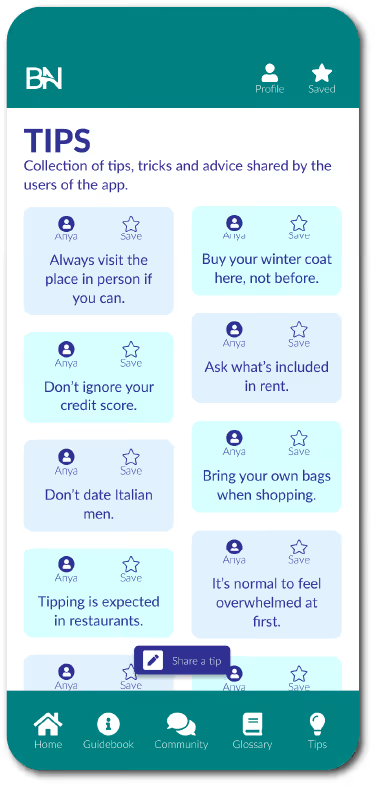
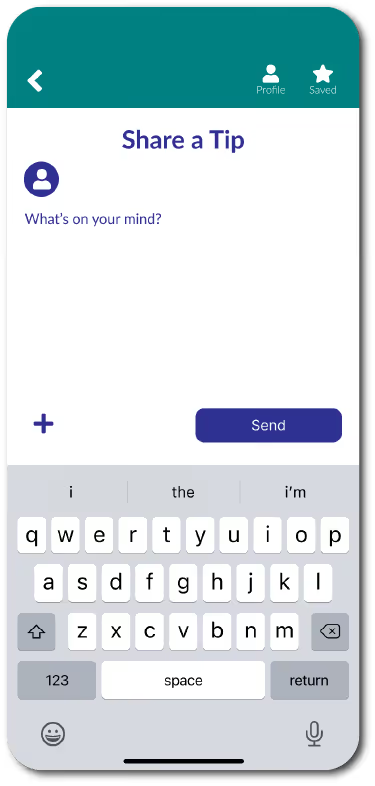
Share a Tip
Similar to Share a post, including an oppurtunity to share a tip (limited to 140 characters).
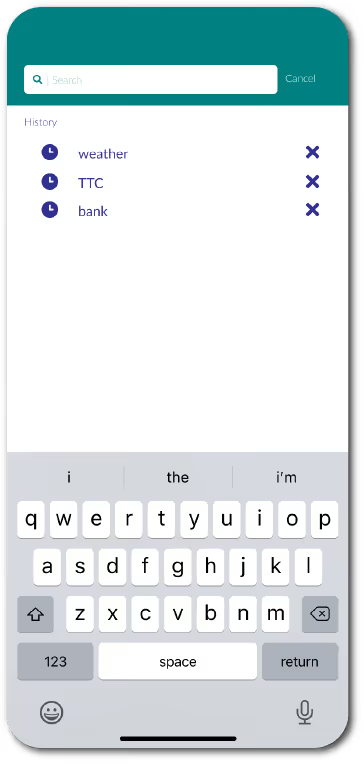
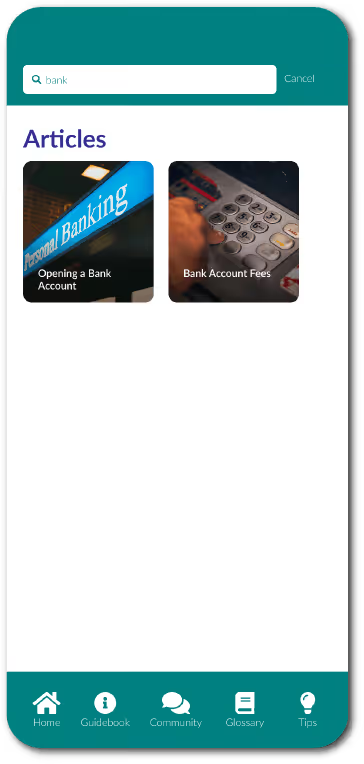
Search
Keyword search across the whole app, with results separated by categories of content.